White Balance
Taking pictures in a White Balance mode we had to either set the mode to Manual (M), Aperture (A) or Shutter (S)before starting. There were 2 methods for setting the White Balance either :


2.Warm-White Fluorescent


4.Cool-White Fluorescent

5.Day White Fluorescent

6.Daylight Fluorescent

7.High Temp.Mercury-Vapor

- Measure- Using neutral grey or white object and place under lighting
- Use Photo-White Balance is copied from an existing photo on memory card
The Method of achieving this White Balance with Measure is:
- In the Shooting Menu select White Balance and go to Present Manual then select Measure
- Take a photo of a grey or white object under lighting
- Make sure the object fills the viewfinder as White Balance is measured when not in focus.
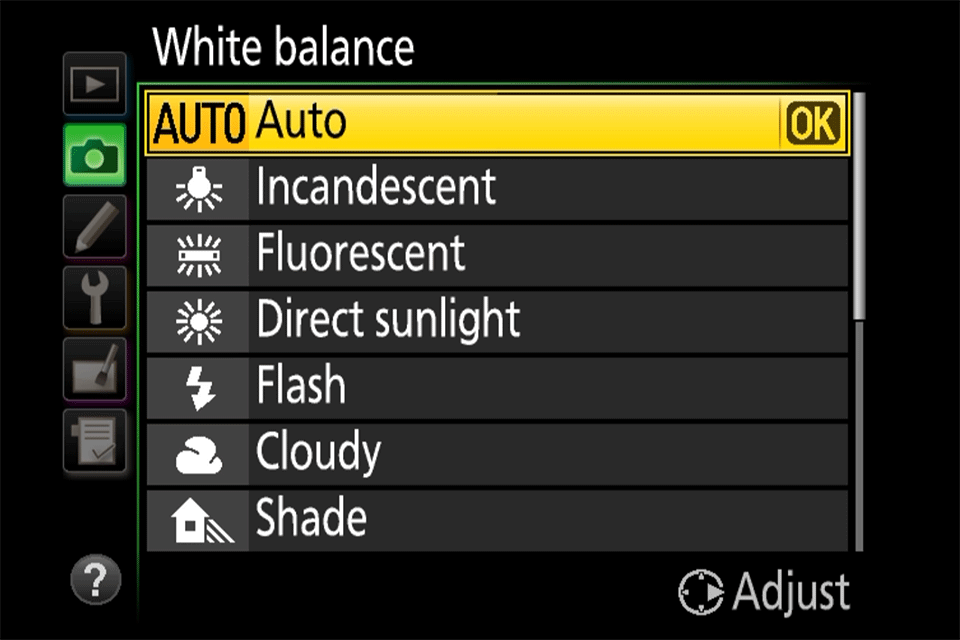
There where different White Balance modes such as these:
With this white Balance I chose to take pictures on the Fluorescent mode:
I noticed there was a major change of colour difference as i went up and down the fluorescent modes from like a blue-ish color and a red-ish colour
1.Sodium-Vapour Lamps

2.Warm-White Fluorescent

3.White Fluorescent

4.Cool-White Fluorescent

5.Day White Fluorescent

6.Daylight Fluorescent

7.High Temp.Mercury-Vapor


Comments
Post a Comment